Have you ever forgotten where you put an important phone number, missed an appointment, or struggled to remember instructions someone gave you? You’re not alone. Keeping track of everyday information can become more challenging as we get older. Fortunately, artificial intelligence is offering some helpful new ways to stay organized.
One app worth exploring is Muse, a personal AI assistant from Meta.
 What Is Muse?
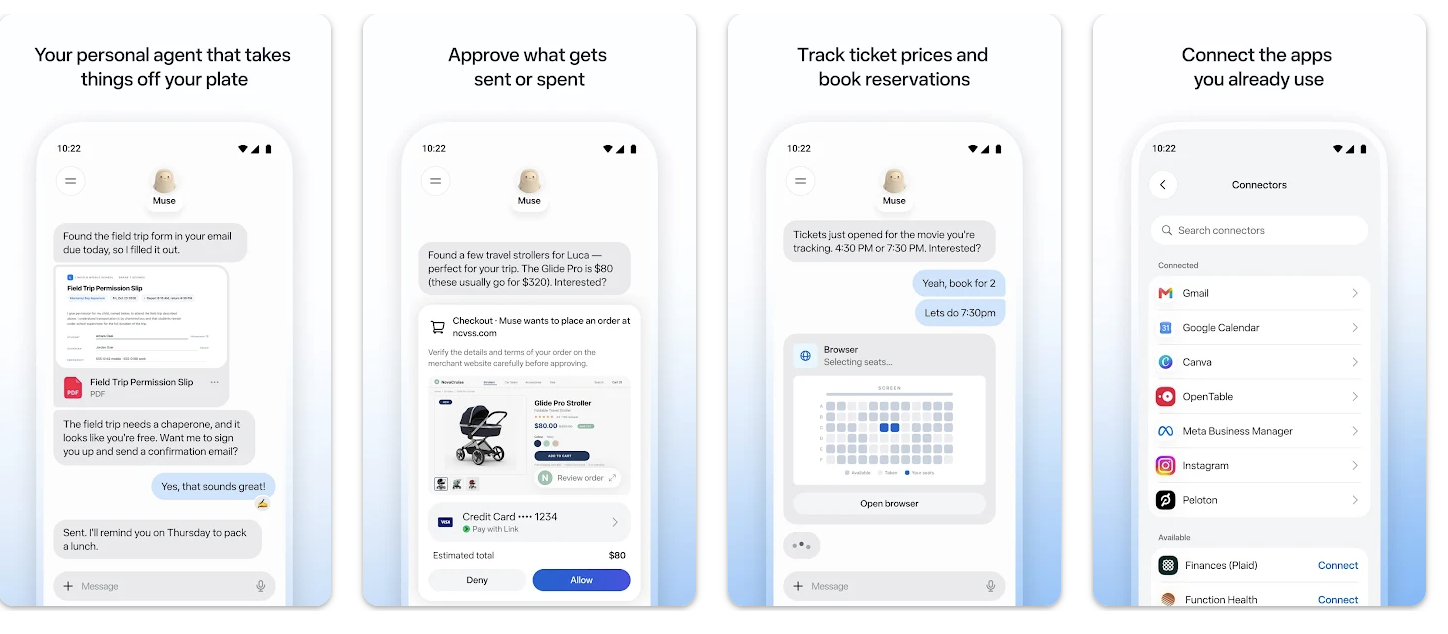
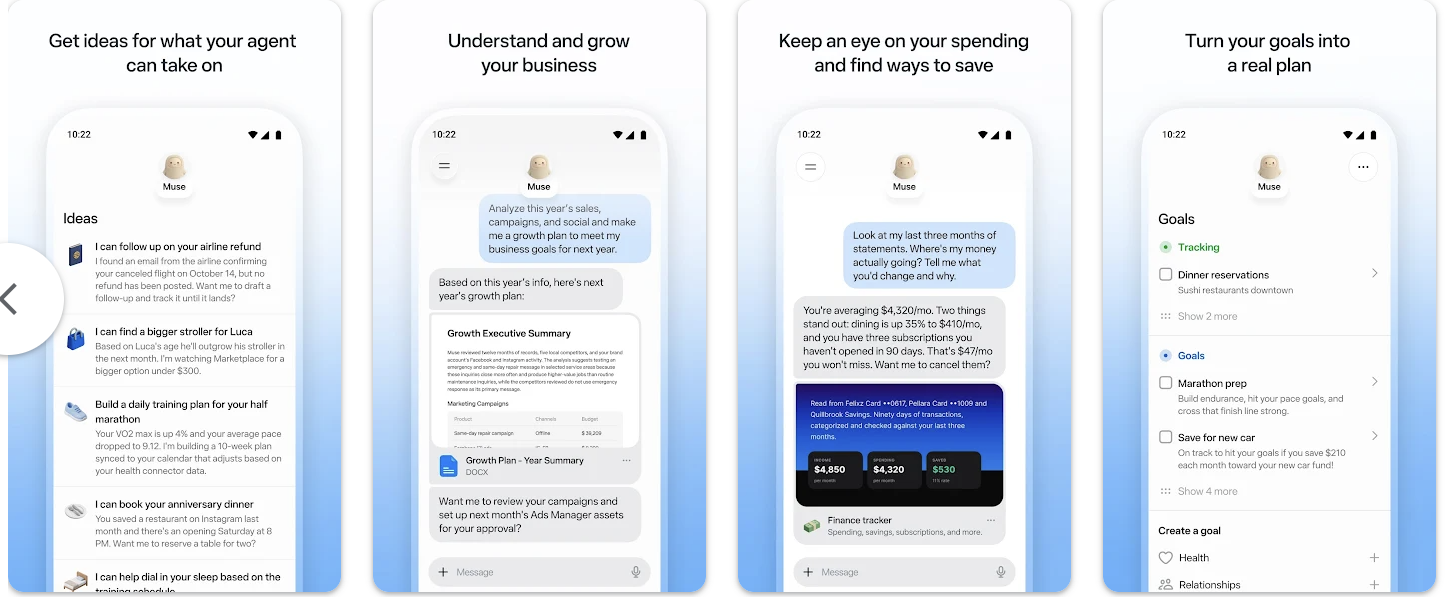
Muse is more than a chatbot that answers questions. It is a personal AI agent that can help organize information, manage tasks, develop plans, track goals, and work with connected applications. You communicate with it just as you would send a text message. Simply tell Muse what you need help with, and it can work through the steps.
How Can Muse Help NCRO Members?
Here are a few practical examples:
Remember important details: Ask Muse to help keep track of information, plans, and things you have discussed.
Stay on schedule: Organize appointments, calendar events, and reminders.
Manage everyday tasks: Create shopping lists, organize travel plans, and keep track of projects.
Keep information organized: Develop lists of questions for doctor visits, family activities, or retirement planning.
Save time: Ask Muse to research information, organize emails, or help complete everyday tasks.
Muse can continue working on certain tasks in the background, even after you close the app. It will request your approval before sensitive actions, such as sending emails or making purchases.
How to Download and Set Up Muse
Step 1: Find the app.
On your iPhone, open the Apple App Store. On an Android phone, open Google Play. Search for “Muse by Meta” and verify the developer before downloading. You can also visit Meta’s official Muse website.
Step 2: Download and open Muse.
Tap Get or Install. Once downloaded, open the app and follow the instructions to create or sign in to your account.
Step 3: Introduce yourself.
Tell Muse a little about how you want it to help. For example: “I am retired and would like help keeping track of appointments, important information, and everyday tasks.”
Step 4: Start with something simple.
Try asking: “Help me organize my appointments for next week.” You can also ask it to create a grocery list or organize a travel checklist.
Step 5: Review your privacy settings.
Choose carefully which applications you connect and what information Muse can access. Never share banking PINs, Social Security numbers, or other sensitive information in a conversation.